How I Turned 3,330 X Bookmarks Into a Fully Connected Obsidian Knowledge Graph
Seven years of "I'll come back to this" — finally useful.
You know that feeling when you bookmark a tweet thinking "I'll come back to this" and then never do? I had 3,330 of those. Seven years worth, going back to 2017.
So I built a pipeline that turns every single one into a richly connected note in Obsidian — with full threads, extracted articles, downloaded images, auto-tagging, and 60,000+ wikilinks lighting up the graph.
Here's exactly how it works.
⚠️ The Problem
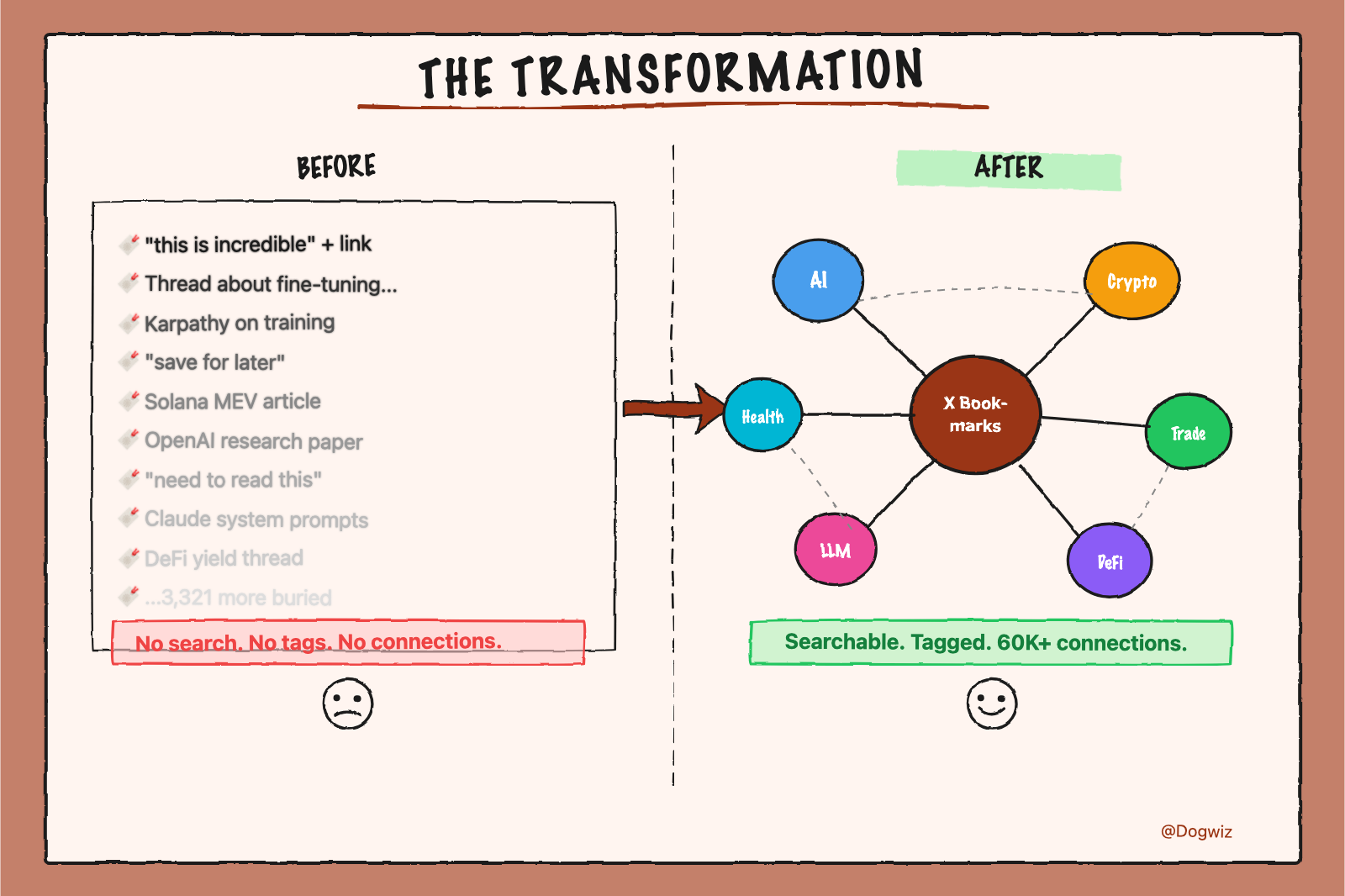
X bookmarks are a graveyard. You save something brilliant, it disappears into a reverse-chronological list, and you never find it again. No search, no tags, no connections.
I wanted to open Obsidian and see that a tweet about Karpathy's training approach links to three other bookmarks about LLM training, which connect to an article about fine-tuning, which links to a thread about open-source AI.
That's not a bookmark. That's a knowledge graph.
⚙️ The Pipeline
Five stages. Fully automated. Resumable at any point. Everything runs locally — no cloud services, no paid APIs beyond Claude Max.
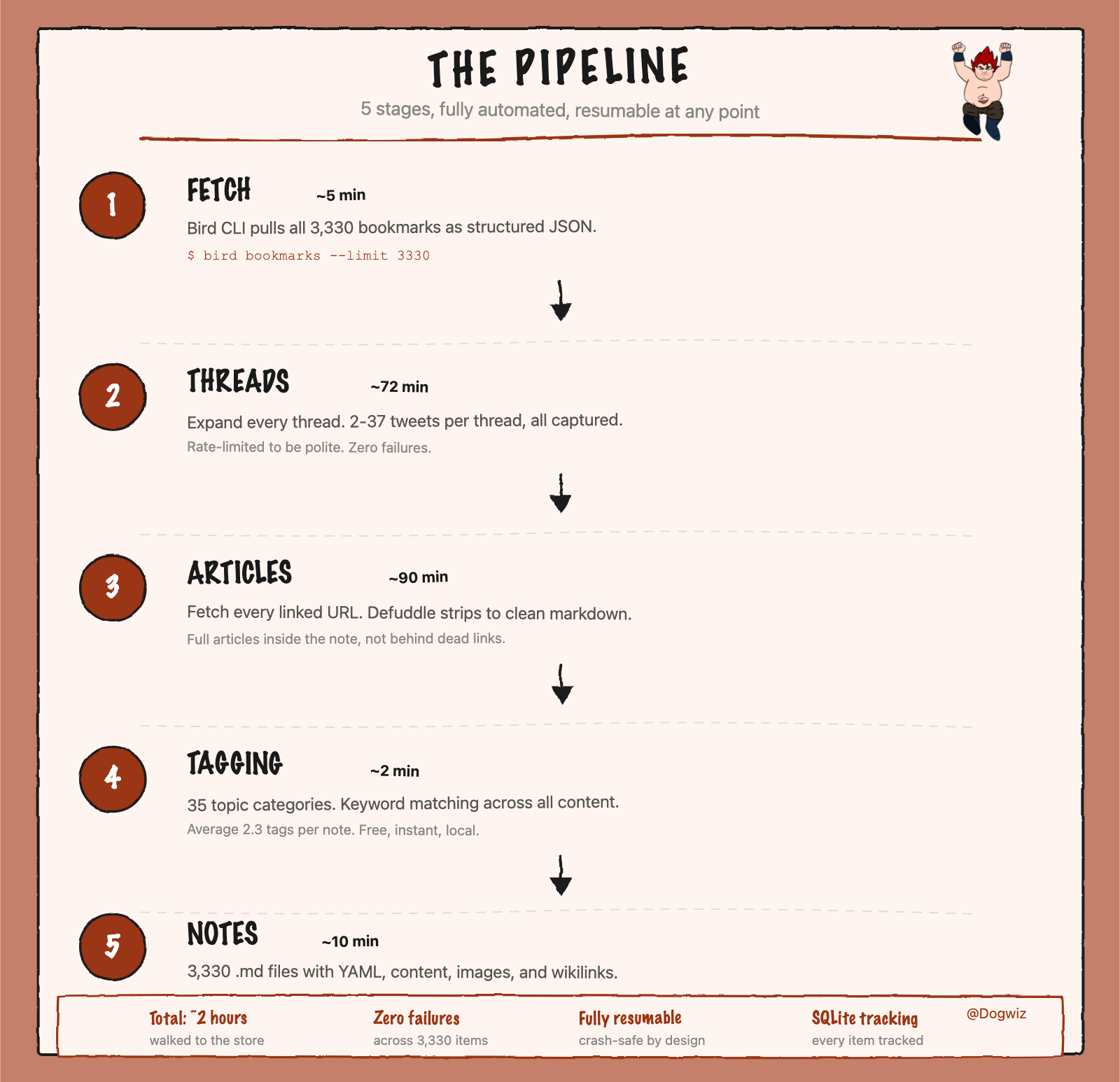
The key stages:
Thread Expansion — If you bookmarked tweet 1 of a 37-tweet thread, you probably wanted the whole thread. Every thread fully expanded, every tweet captured in order.
Article Extraction — A huge chunk of my bookmarks are tweets that link to Substacks, blog posts, research papers. The tweet is just "this is incredible" with a link. The pipeline fetches every linked URL and runs it through Defuddle to extract clean markdown. The full article lives inside the note, not behind a link that might be dead in two years.
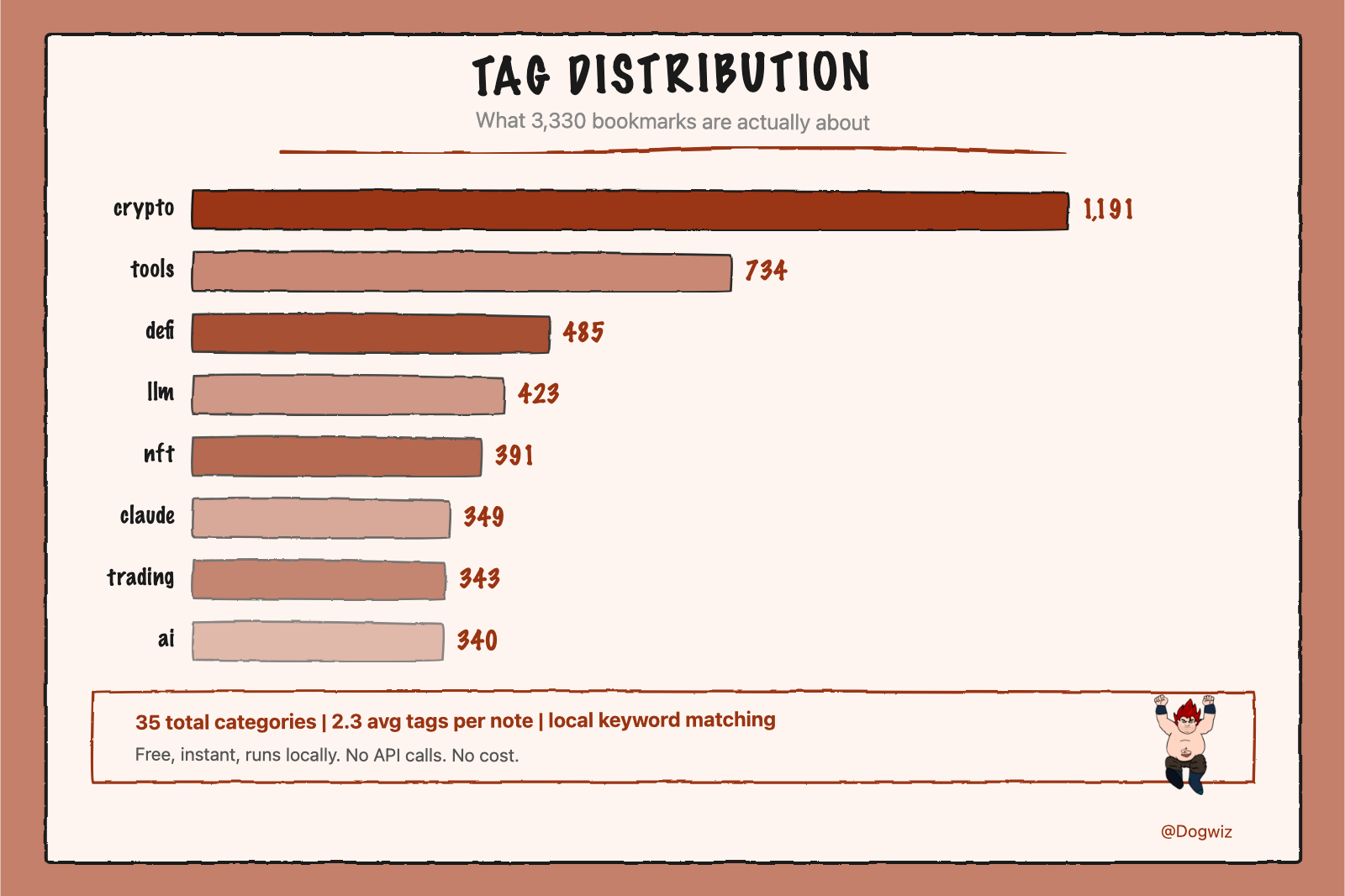
Tagging — 35 topic categories via local keyword pattern matching. Not as smart as an LLM classifier, but it's free, instant, and runs locally.
🔗 The Wikilink Layer
This is the part that makes the graph explode.
Tags and frontmatter are nice, but they don't create connections in Obsidian's graph view. Wikilinks do. Every note gets a footer like this:
[[X Bookmarks]] · [[@0xRicker]] · [[2026-03]] · [[trading]] · [[crypto]] · [[Polymarket]] · [[Bitcoin]]
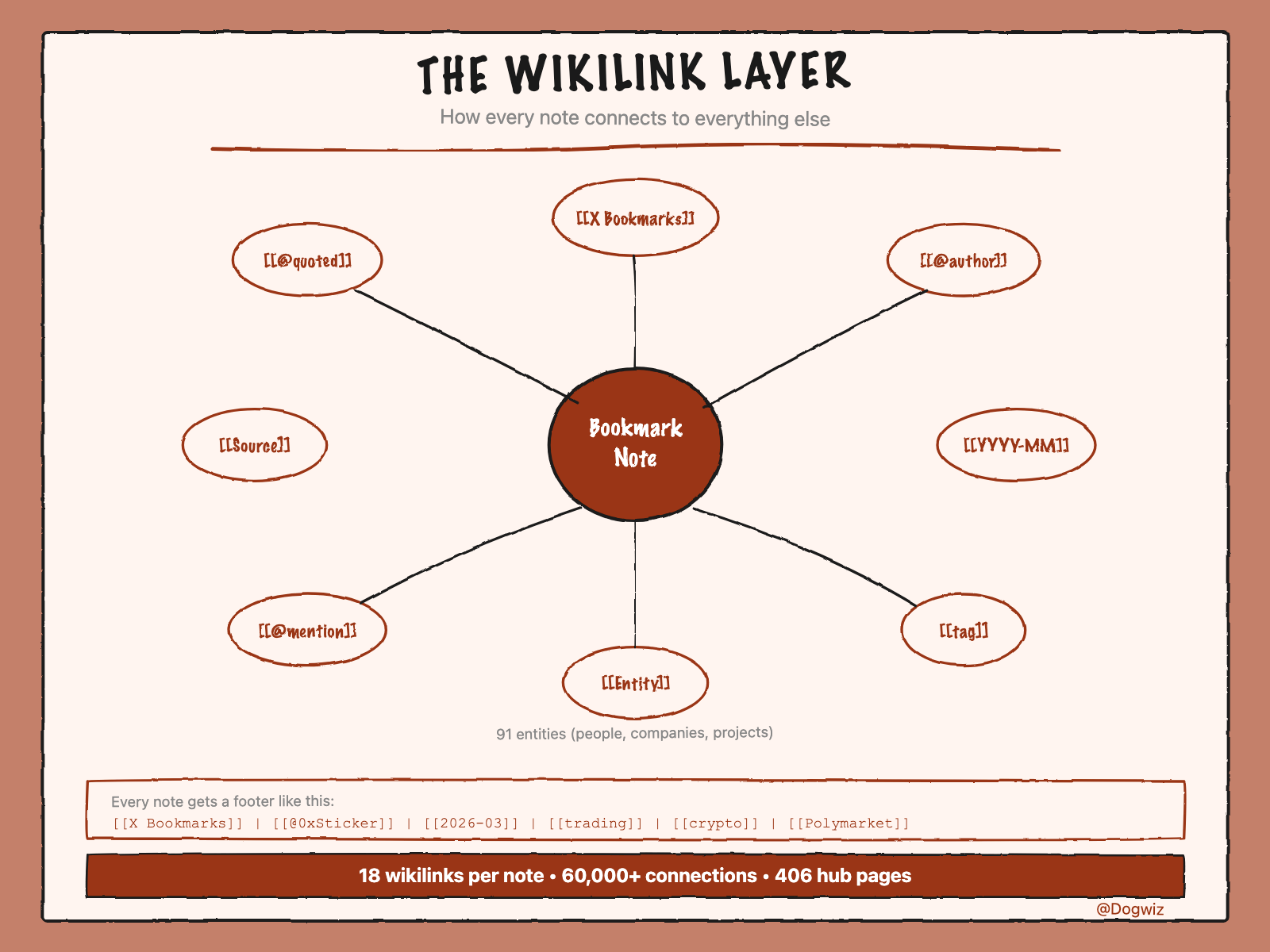
The pipeline recognizes ~150 known entities — people (Karpathy, Sam Altman), companies (OpenAI, Anthropic), projects (Solana, Hyperliquid, Polymarket). When these appear in a note, they become wikilinks.
It also creates hub pages: 35 tag pages, 230 author pages, 91 entity pages, 50 month indexes. These hubs become the bright nodes in the graph — the connectors that pull clusters together.
📊 The Numbers
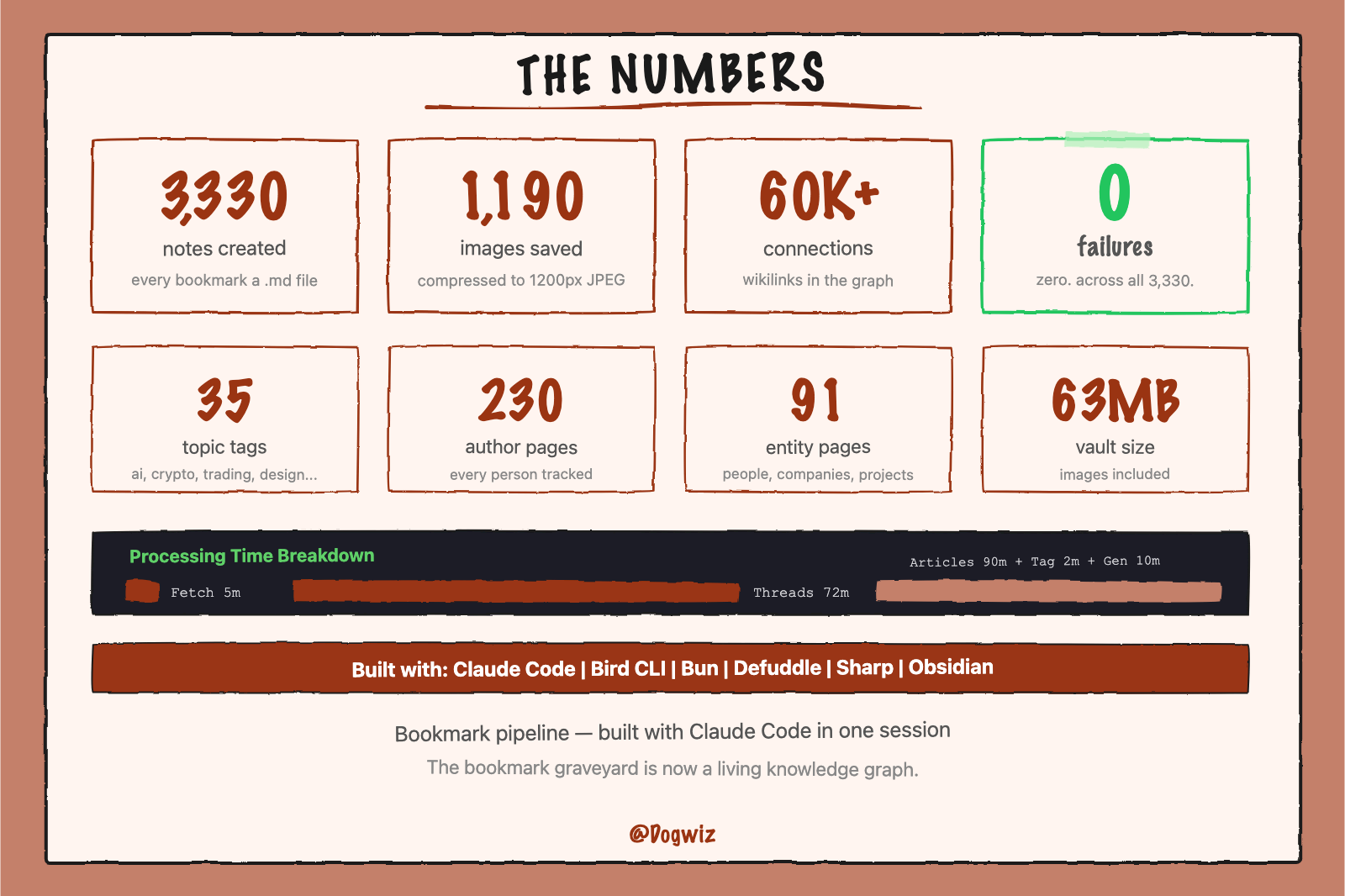
🤖 How Claude Code Built This
I didn't write this pipeline by hand. I described what I wanted to Claude Code in plain English, and it:
1️⃣ Scaffolded the project (TypeScript, Bun, SQLite schema) 2️⃣ Wrote all 6 source modules 3️⃣ Debugged issues in real-time (parser crashes, image processor crashing on emoji fonts) 4️⃣ Ran the full pipeline autonomously across all 3,330 bookmarks 5️⃣ Built post-processing scripts for tagging and wikilink enrichment
I literally told it "skip permissions and get it done" and went to the store. Came back to 3,330 fully processed notes.
🚀 What's Next
This pattern extends beyond X bookmarks. Any URL can become a structured, connected Obsidian note. YouTube videos, GitHub repos, research papers, newsletters. The pipeline is the template.
The bookmark graveyard is now a living knowledge graph. Seven years of saved tweets, finally useful.
────────────────────────────────────
Built with Claude Code, xread, Defuddle, Bun, Sharp, and Obsidian.
@Dogwiz